
EIP-7702: the feature used in the Binance hack and how to protect your wallet
The $6.3 billion Binance hack on October 29, 2026 put a little-known Ethereum feature in the spotlight: EIP-7702.
It is what the attacker used to turn one of Binance’s largest wallets into a fund-sweeping machine.
In this guide, we explain what EIP-7702 is, how it was used in the attack and what you can do to protect your wallet.
Spoiler: the problem wasn’t Ethereum, but whoever managed to sign on Binance’s behalf.
What is EIP-7702
EIP-7702 is an Ethereum improvement proposal co-authored by Vitalik Buterin, among others.
It was activated in the Pectra upgrade in May 2025.
The idea is to let an ordinary wallet (an EOA) work like a smart wallet without changing its address.
To do so, the owner signs an authorization pointing to a smart contract.
From then on, every call to the wallet runs that contract’s code, until a new authorization changes the delegation.
What EIP-7702 is for
The feature was designed to improve the Ethereum user experience.
Its three main goals, according to the proposal, are:
- Batching: approve and use a token in a single operation instead of two.
- Sponsorship: another account can pay gas for your transaction.
- Privilege de-escalation: create sub-keys with limited powers, such as spending only a set amount per day.
Used properly, EIP-7702 makes wallets more convenient and even safer.
How EIP-7702 was used in the Binance hack
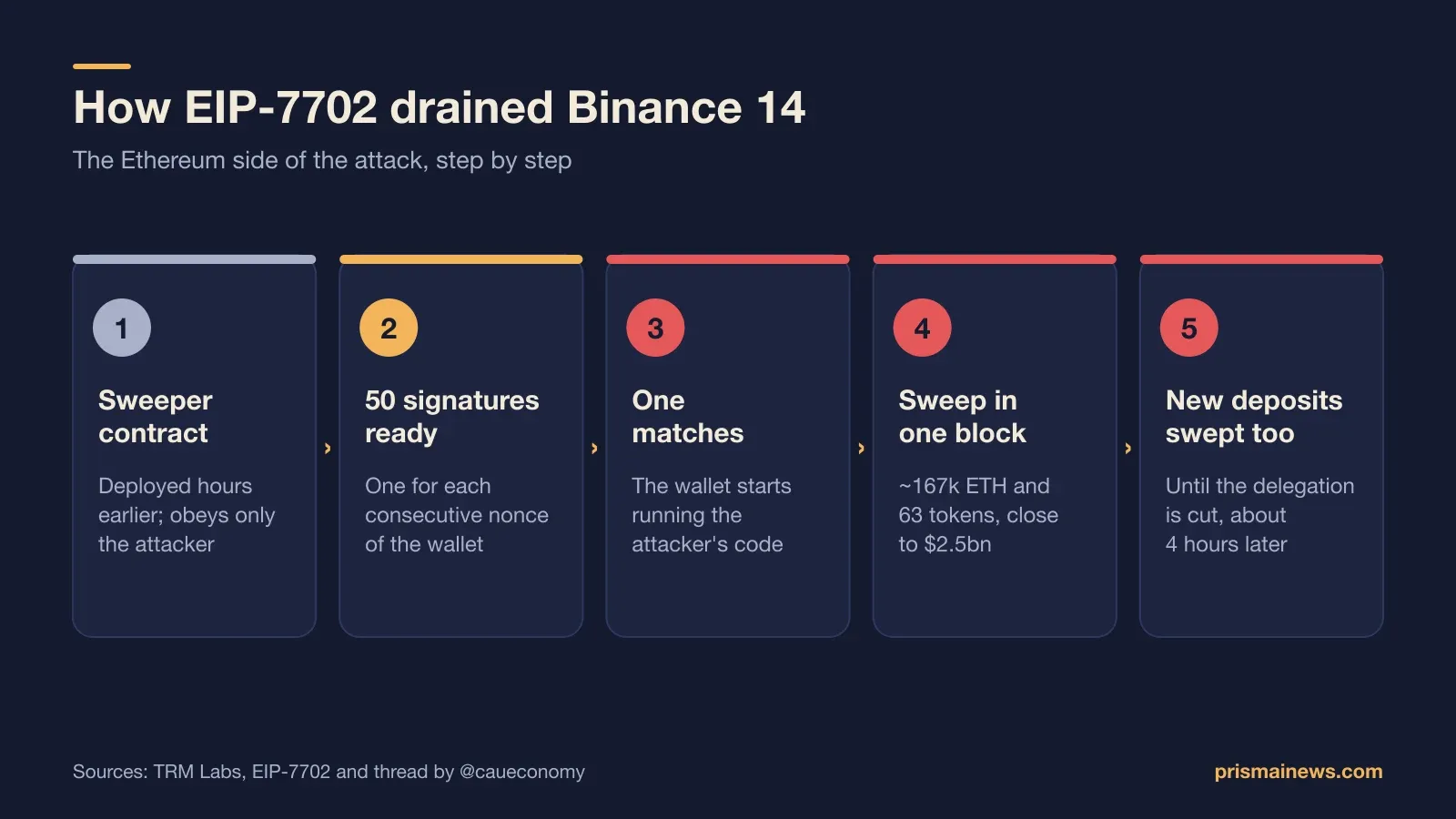
According to TRM Labs, hours before the attack the intruder deployed a contract with a single function: draining wallets, obeying only the attacker.
At 20:20 UTC, it submitted a transaction with 50 authorizations, all signed by Binance’s hot wallet and pointing to that contract.
Why 50? Every wallet keeps a transaction counter, the nonce, and an authorization is only valid at the exact number the counter has reached.
Binance’s hot wallet processes withdrawals constantly, so the counter keeps moving.
With 50 consecutive numbers pre-signed, the attacker guaranteed one of them would be valid at the right moment. One was.
Three minutes and 24 seconds later, a single transaction took about 167,000 ETH and 63 tokens, close to $2.5 billion, according to a thread by Cauê (@caueconomy).
And because the delegation stayed active, everything arriving in the wallet was swept again, until Binance cut the link almost four hours later.
The full story is in Binance hacked: how the biggest crypto heist in history happened.
Does EIP-7702 have a flaw?
There is no sign of a protocol flaw.
The 50 authorizations were signed by Binance’s own wallet.
For TRM Labs, this points to a compromise of the exchange’s signing infrastructure.
Binance said the starting point may have been a compromised engineer’s laptop, among other entry points.
On the other nine networks hit, funds left through ordinary signed transfers, without EIP-7702.
In other words, EIP-7702 was the tool that made the Ethereum theft faster, not the way in.
The risk for you: signatures that hand over your wallet
The lesson for everyday users is simple: an EIP-7702 signature can hand over full control of your wallet.
If you sign an authorization for a malicious contract, it can move all your funds, now and in the future, as long as the delegation is active.
Phishing scams try to do exactly that: get you to sign something you don’t understand.
How to check if your wallet has an EIP-7702 delegation
Per the specification, a wallet with an active delegation has code starting with 0xef0100, followed by the delegated contract’s address.
In practice, you can:
- Paste your address into a block explorer such as Etherscan and check whether it shows an active delegation.
- Check your wallet settings to see if the smart account option is turned on.
- Be suspicious of any delegation you don’t remember authorizing.
How to revoke an EIP-7702 delegation
If you find a delegation you don’t recognize, act fast:
- Use your wallet’s own option to turn off the smart account, if it offers one.
- Another method in the specification is signing a new authorization pointing to the zero address, which clears the delegation.
- If you suspect a compromise, move your funds to a brand-new wallet with a different seed phrase.
Always do this through your wallet’s official interface, never via links received in messages.
7 tips to protect your crypto wallet
- Never sign what you don’t understand. Read what your wallet shows before confirming.
- Be wary of wallet “upgrade” requests from websites or messages.
- Use a hardware wallet for larger amounts.
- Separate wallets: one for daily use and another, rarely used, for savings.
- Review approvals and delegations regularly.
- Never share your seed phrase, not even with supposed support agents.
- Be careful with job offers and technical tests received by message: TraderTraitor, the group blamed for the attack, is known for using fake job offers to install malware on crypto professionals’ computers.
Read next
- Binance hacked: how the biggest crypto heist in history happened
- Binance hacked: what to do now? Withdrawals, refunds and safety
This content is for information only and is not investment advice.
Source: Ethereum Improvement Proposals