
emailtemporario.site: free, Brazilian temporary email with a protected inbox
We have all been there: a website asks for your email just to unlock a coupon, a download or a free trial.
You confirm the sign-up and, from then on, your inbox never gets a break.
Temporary email solves exactly that problem.
Among the options we tested, emailtemporario.site stands out for a simple reason: it treats your disposable inbox with the care of a real one.
Quick answer
- emailtemporario.site is a free, Brazilian temporary email service (the interface is in Portuguese).
- The address is ready in about one second, with no sign-up and no password.
- Verification codes and confirmation links are highlighted, ready to copy.
- The inbox only opens with a secret key stored in your browser: knowing the address is not enough.
- Everything is deleted after 24 hours, with the option to extend for another 24.
Read on for the details, the screens and the precautions.
What is temporary email?
Temporary email (also called temp mail, disposable email or single-use email) is an address that works for a short time and requires no sign-up.
It receives real messages from any website, but disappears on its own after a set period.
The idea is to separate what is important from what is fleeting.
Your personal address stays for banking, work and accounts you need to recover; the temporary one handles quick sign-ups you do not want to carry around forever.
Meet emailtemporario.site
When you open the page, the address is already created.
There is no form, no confirmation and no “create an account to continue”.
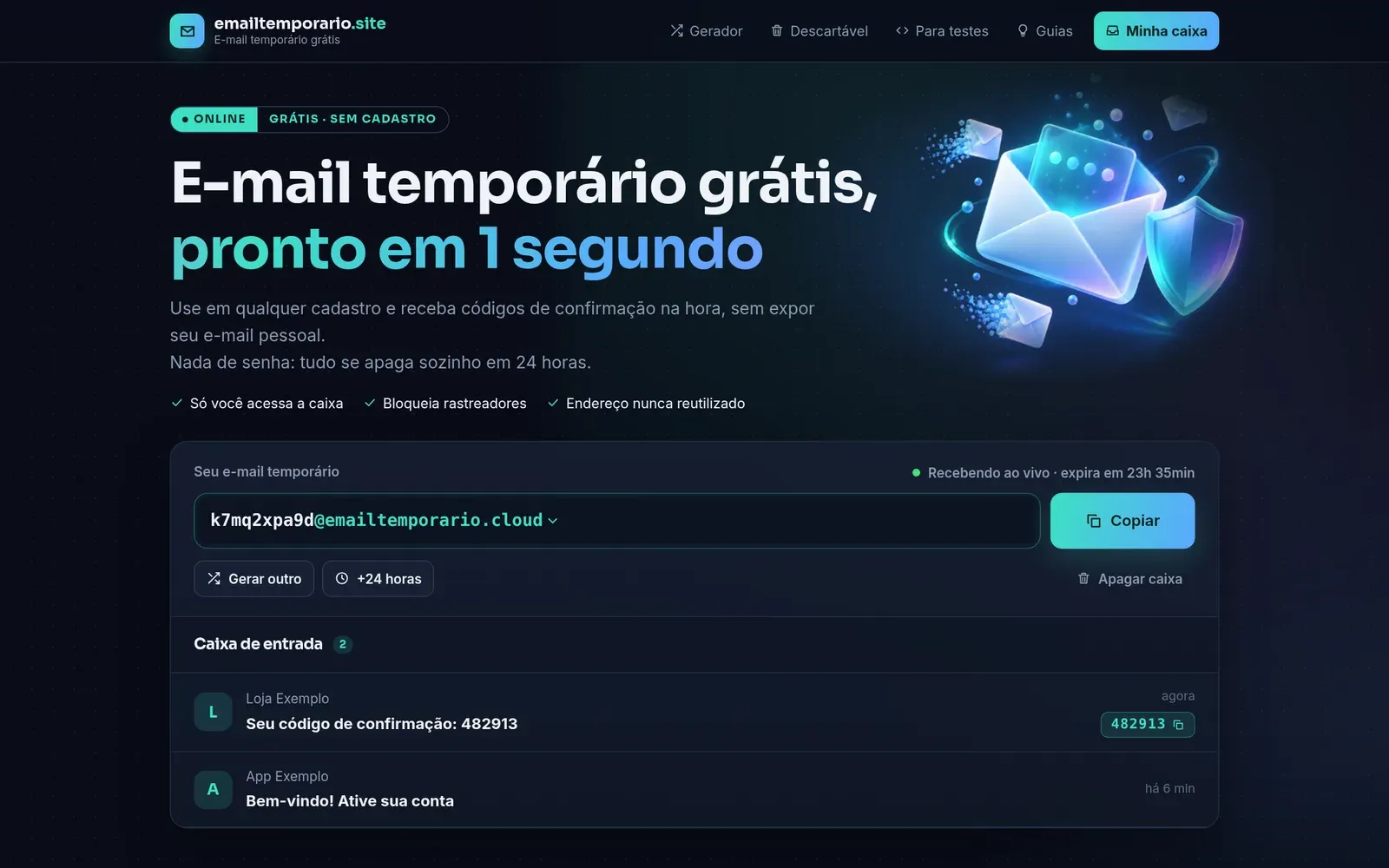
Right above the inbox sit the essential controls: Copiar (copy), Gerar outro (generate another), +24 horas and Apagar caixa (delete inbox).
The “Recebendo ao vivo” (receiving live) status means messages arrive without reloading the page.
The service in numbers
| What | How it works |
|---|---|
| Time to create | About 1 second, when the page opens |
| Inbox lifetime | 24 hours, extendable by +24h |
| Available domains | Two (.cloud and .pro) to choose from |
| Size per email | Up to 10 MB, attachments included |
| Messages per inbox | Up to 100 |
| Price | Free, no paid plan, no sign-up |
How to use it in 3 steps
The flow is as short as possible, which is exactly what makes it useful day to day.
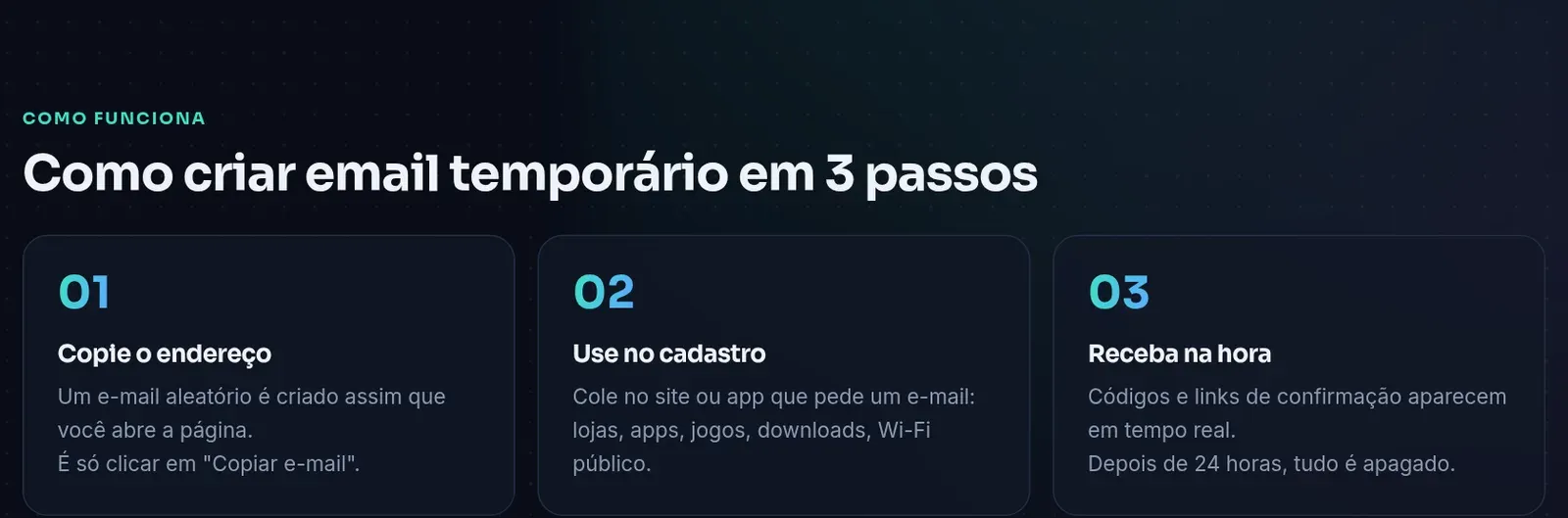
- Copy the address. It is created automatically when you open emailtemporario.site.
- Paste it into the sign-up. A store, an app, a game, a download or public Wi-Fi.
- Return to the tab. The email shows up in real time, with the code or link already pulled out.
If a website rejects the address, click the arrow next to the domain and generate one on the other domain.
The detail that matters: highlighted code and link
Most confirmation emails are full of logos, banners and footers.
emailtemporario.site reads the message and pulls out what you actually need.
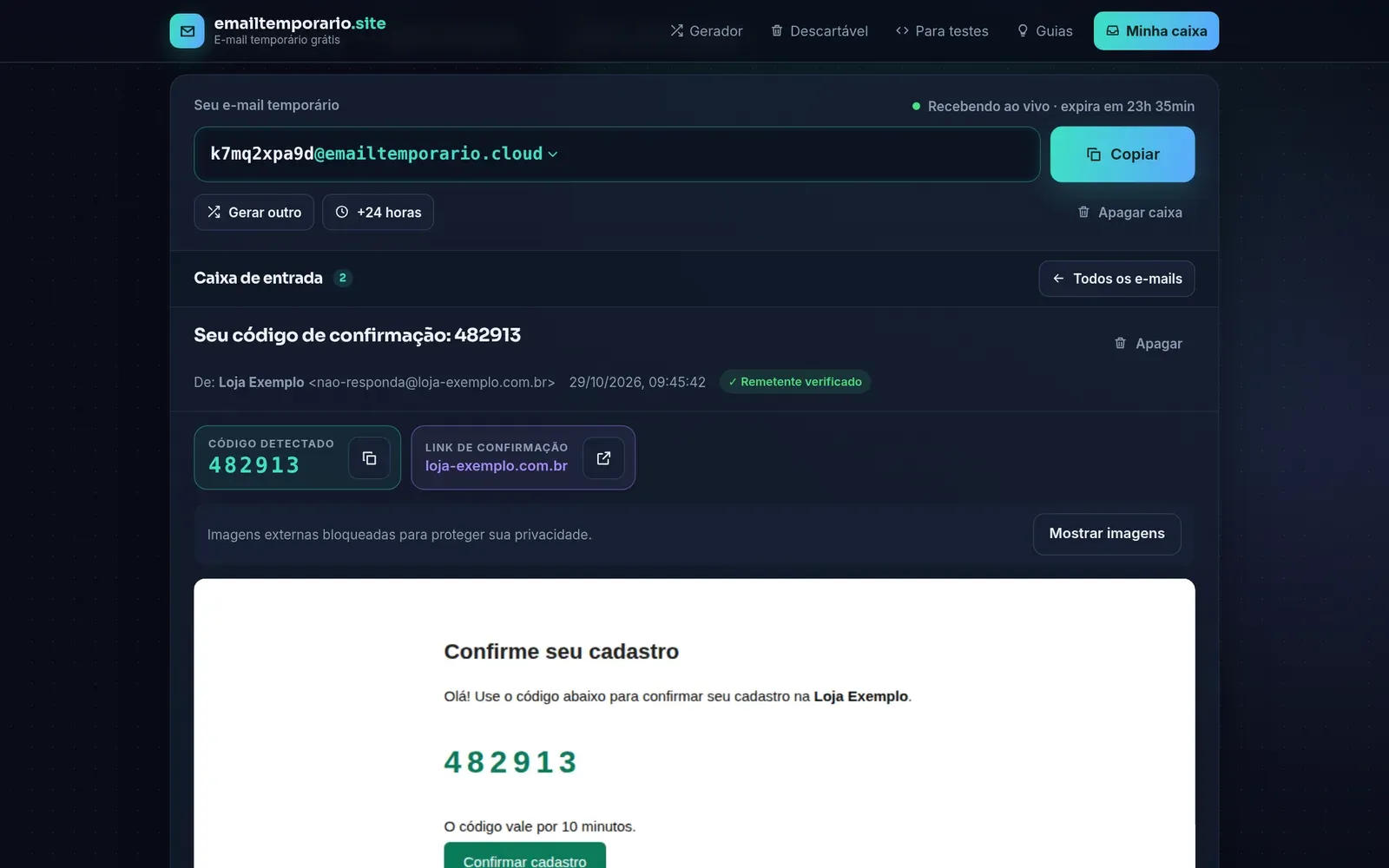
In practice, you see three things before even reading the email:
- Detected code, with a one-click copy button.
- Confirmation link, set apart and showing the destination domain before you click.
- Verified sender, when the message passes authenticity checks (SPF, DKIM and DMARC).
That last point is a security bonus.
If an email claims to come from a well-known store but fails verification, be suspicious.
Privacy and security: why we recommend it
Many temporary email services share a serious flaw: anyone who knows the address can read the inbox.
Because addresses tend to be short and predictable, someone could read your confirmation codes.
emailtemporario.site takes a different approach.
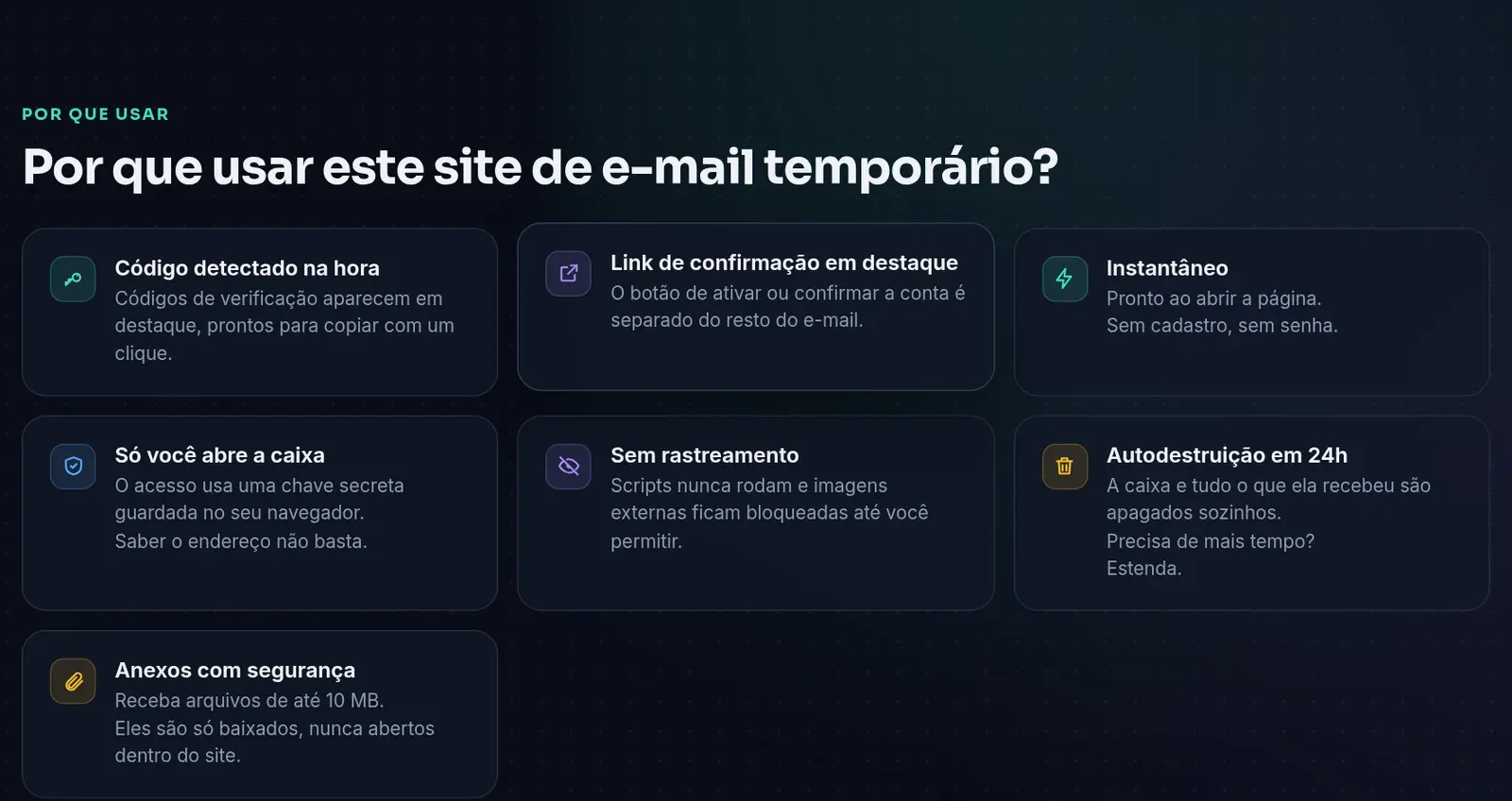
Only you can open the inbox
When the address is created, your browser receives a 256-bit secret key.
Without that key, the inbox does not open, even for someone who knows the exact address.
Encrypted messages, processed in isolation
According to the About page, messages are encrypted on the server with a different key for each inbox.
Email content is processed in an isolated environment with no internet access.
No tracking
Scripts inside emails never run.
External images, which often hide “pixels” that report whether you opened a message, stay blocked until you allow them.
Addresses are never reused
An address that has existed is never handed out again.
That prevents someone from receiving, weeks later, an email meant for someone else.
Careful with attachments
Files up to 10 MB arrive normally, but can only be downloaded.
They are never opened inside the site, which reduces the risk of a malicious attachment acting in your browser.
Receive-only
The service does not send email.
That makes it harder to abuse for spam and scams, and keeps its domains’ reputation healthier.
Does it work on mobile?
Yes, with nothing to install.
The page adapts to the screen, and the Copiar button is large enough to tap with your thumb.
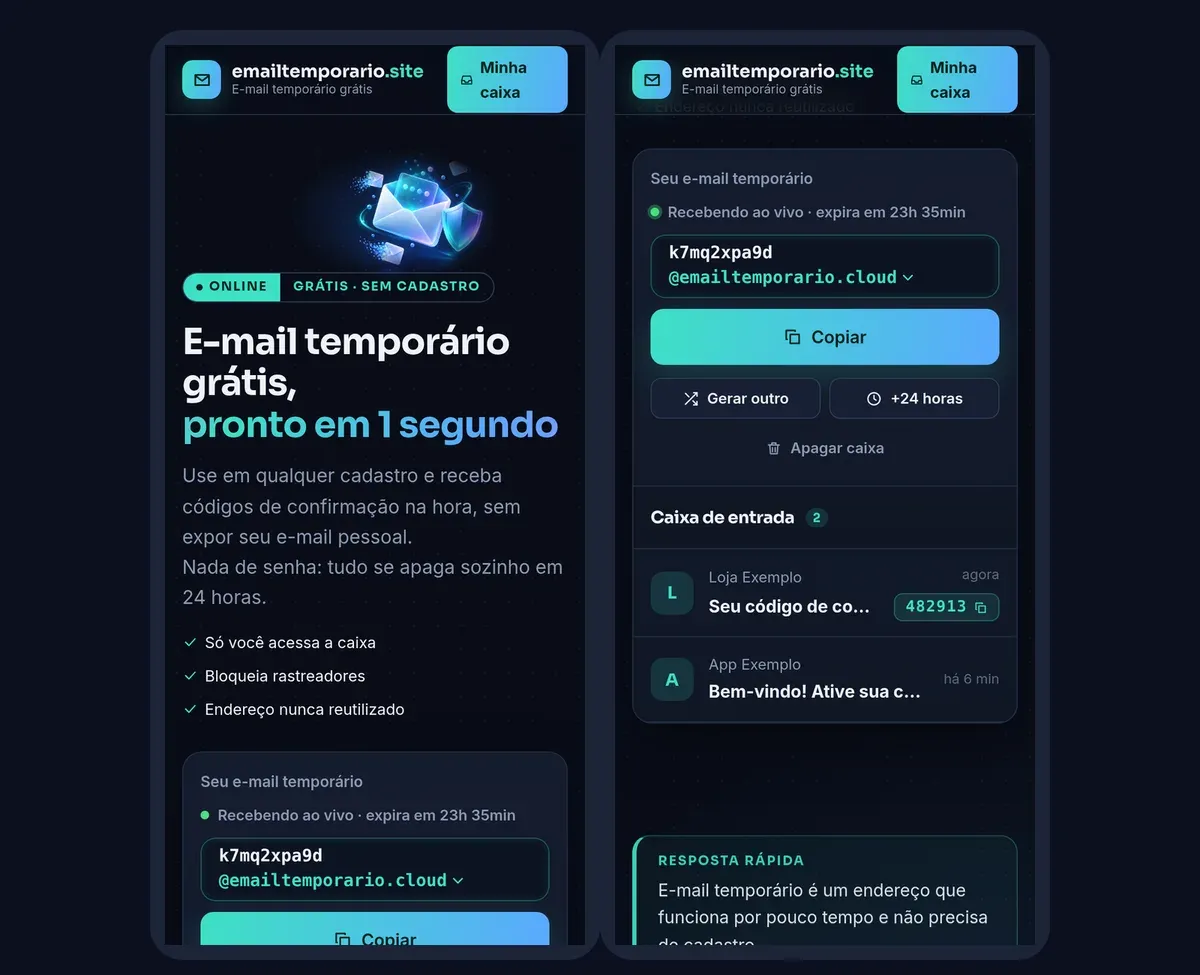
A tip: open emailtemporario.site in a regular browser tab, not a private one.
The inbox key is stored in the browser; in a private tab, it is lost when you close the window.
Temporary or personal email?
Both have their place, and the site itself offers an honest comparison.
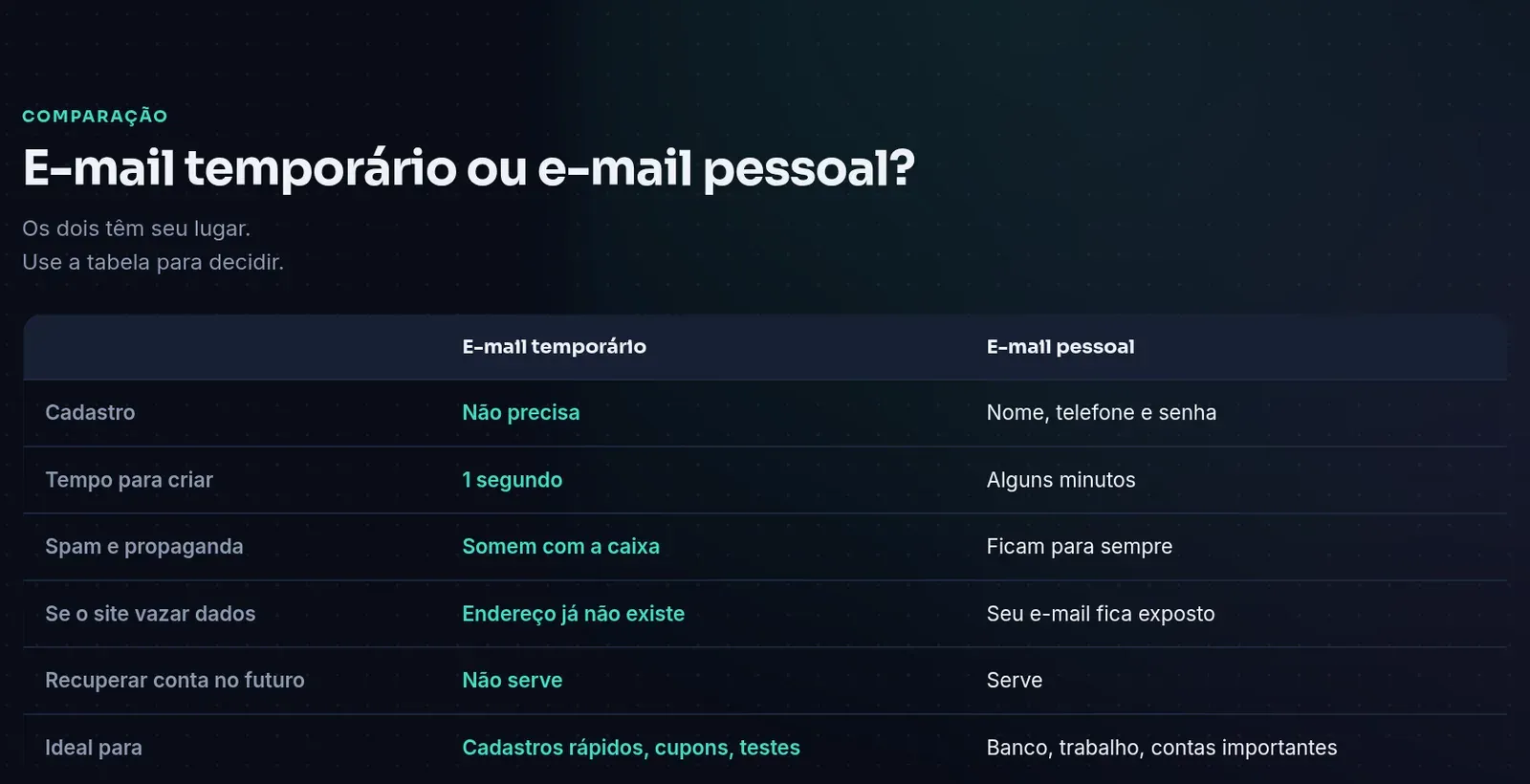
| Situation | Use temporary email? |
|---|---|
| Downloading a free resource | ✅ Yes |
| Grabbing a first-purchase coupon | ✅ Yes |
| Trying an app before committing | ✅ Yes |
| Mall, airport or event Wi-Fi | ✅ Yes |
| Testing your own system’s sign-up flow | ✅ Yes |
| Banking, government services, work or purchases with warranty | ❌ No |
| An account you will need to recover later | ❌ No |
For developers and QA
emailtemporario.site is also a handy work tool.
Its email for testing page shows how to use real inboxes to validate welcome emails, account confirmation and “forgot password” flows.
Automatic code (OTP) highlighting and the SPF, DKIM and DMARC results help you check whether your system’s sending setup is correct.
There is no public API yet, but the service says one is planned for those who automate tests.
Precautions and limits
No tool fits every job, and it is worth knowing where temporary email is not the right choice.
There is also no “30-day temporary email”, and that is on purpose.
The longer a disposable address lives, the higher the chance it receives something important you will later lose.
Protect your phone number too
Email is only half of a sign-up.
Many apps also ask for a phone number to send a code by SMS.
For that part, emailtemporario.site itself points to Brazilian virtual number partners such as Meu SMS and SMS Temporário.
To learn how that works, see our guides on receiving SMS online with SMS Temporário and choosing a temporary SMS platform.
Prisma’s verdict
emailtemporario.site nails the basics: it opens fast, receives instantly and asks for nothing in return.
What lifts it above average is everything else: a key-protected inbox, encrypted messages, blocked trackers, highlighted codes and links, and a privacy policy that tells the truth in plain language.
| Criterion | Rating |
|---|---|
| Ease of use | ⭐⭐⭐⭐⭐ |
| Privacy and security | ⭐⭐⭐⭐⭐ |
| Delivery speed | ⭐⭐⭐⭐⭐ |
| Extras (code, link, SPF/DKIM) | ⭐⭐⭐⭐⭐ |
| Mobile use | ⭐⭐⭐⭐⭐ |
| Test automation | ⭐⭐⭐ (API not available yet) |
For coupons, downloads, app trials and public Wi-Fi, it is our recommendation.
For banking and important accounts, keep using your personal email.
Where to start
Open emailtemporario.site, click Copiar and use the address on the next sign-up that does not deserve your real email.
In 24 hours, it all disappears on its own.